
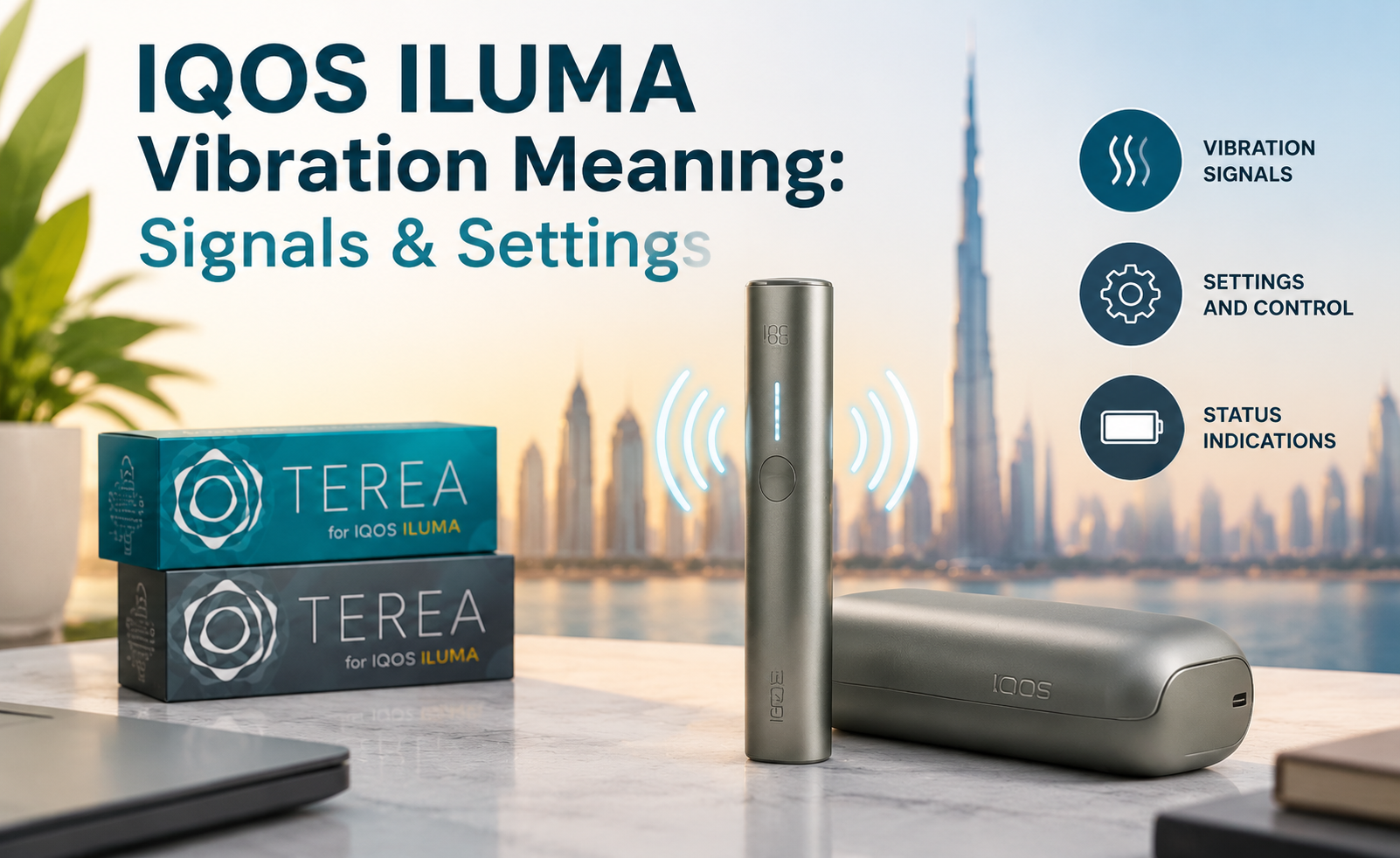
IQOS ILUMA vibrations are built-in haptic signals that tell you what the device is doing without requiring you to constantly watch the status lights. On the original IQOS ILUMA, one vibration after inserting a TEREA stick means preheating has started, two vibrations mean the Holder is ready, and another two vibrations near the end mean approximately 30 seconds or two puffs remain.
There is also a second type of vibration feedback. During an active experience, double-tapping the original ILUMA Holder can produce one, two or three vibrations to indicate approximately how much of the session remains.
This is where searches such as “default vibration IQOS ILUMA,” “IQOS ILUMA 2 vibrations,” “IQOS ILUMA vibration settings,” and “IQOS ILUMA not vibrating” start to overlap.
The important distinction is that IQOS uses vibration for several different purposes:
heating status → readiness → remaining experience → end warning → smart-gesture feedback
Understanding when the vibration happened is therefore more useful than simply counting how many times the device vibrated.
IQOS and TEREA are not risk-free and provide nicotine, which is addictive. They are intended only for adults who would otherwise continue using tobacco or nicotine products.
IQOS ILUMA Vibration Meanings at a Glance
| Vibration Signal | When It Happens | What It Means |
|---|---|---|
| 1 vibration | After inserting TEREA / starting | Preheating has started |
| 2 vibrations | After preheating | Holder is ready |
| 2 vibrations | Near end of experience | About 30 sec or 2 puffs remain |
| 3 vibrations after double-tap | During experience | About 75–50% remains |
| 2 vibrations after double-tap | During experience | About 50–25% remains |
| 1 vibration after double-tap | During experience | Less than 25% remains |
These signals are confirmed in IQOS UAE’s current original ILUMA support guide.
The key is context.
i. Two vibrations immediately after heating mean ready.
ii. Two vibrations later in the session mean nearly finished.
iii. Two vibrations immediately after you deliberately double-tap the Holder indicate roughly 50–25% of the experience remains.
The same number of vibrations can therefore communicate different information depending on what happened immediately before them.
What Does the First IQOS ILUMA Vibration Mean?
On the original IQOS ILUMA and ILUMA PRIME, inserting a compatible TEREA stick normally activates AutoStart.
Official IQOS UAE instructions state that:
one vibration + slowly pulsing lights = the TEREA stick is heating.
This is not the ready signal.
It means the SMARTCORE induction heating system has begun the preheating stage.
A common first-time mistake is to feel the first vibration and assume the device is ready immediately.
It is better to wait for the next feedback.
When preheating finishes, the Holder gives the readiness signal.
What Do Two Vibrations Mean on IQOS ILUMA?
This is probably the most important vibration question because two vibrations can mean two different things.
Two Vibrations After Preheating
If you have just inserted TEREA and waited through the heating stage, two vibrations together with the status light staying on mean the Holder is ready.
So the sequence is:
insert TEREA → one vibration → heating → two vibrations → ready
Two Vibrations Near the End
Later in the experience, the Holder gives another two vibrations.
This time the meaning is different.
Official IQOS UAE guidance says this indicates approximately 30 seconds or two puffs remaining.
So the full pattern is:
1 vibration = heating begins
2 vibrations = ready
2 vibrations later = nearly finished
This is why an article focused specifically on vibration signals can answer the query better than a broad “how to use IQOS” guide.
What Does Default Vibration on IQOS ILUMA Mean?
The search phrase “default vibration IQOS ILUMA” can be interpreted in two ways.
Some users are asking about the vibration signals that happen during normal factory operation.
Others are asking what the default vibration strength setting is.
Those are different questions.
Default Operating Behaviour
The normal original ILUMA operating sequence includes vibration feedback at key stages:
preheating, readiness and near completion.
Smart gestures can also trigger additional vibration feedback.
Those signals are part of the device’s standard interaction system.
Default Vibration Strength
IQOS UAE confirms that compatible devices allow vibration levels to be customised through the IQOS Web App. For original IQOS ILUMA and ILUMA PRIME, the Web App can adjust vibration levels, LED brightness and smart gestures.
However, the public UAE support information reviewed for this guide does not provide a universal numeric factory setting, such as:
“Default vibration level = 2”
or
“Default strength = 50%.”
Therefore, it would be inaccurate to invent one.
The useful answer is:
IQOS ILUMA has default vibration feedback for normal operating signals, but IQOS UAE does not publicly specify a universal numerical default vibration-strength value.
If your concern is that the vibration feels unusually weak or strong, check the device settings rather than comparing it with an unsupported number from a forum.
Can You Change IQOS ILUMA Vibration Settings?
Yes, on supported models.
IQOS UAE says the IQOS Web App can customise vibration levels on original IQOS ILUMA and IQOS ILUMA PRIME. It also provides vibration-level customisation for ILUMA i PRIME, ILUMA i and ILUMA i ONE.
The web app can be accessed through an IQOS customer account by going to the device-management area. IQOS also says compatible devices can use the app for settings, software updates, diagnostics and other device-management functions depending on the model.
This is worth checking if:
the device operates normally, the lights behave correctly, but the haptic feedback feels different from what you remember.
Do not confuse changing vibration level with changing what the signals mean.
A weaker readiness vibration is still a readiness vibration.
What Do Three, Two and One Vibrations Mean After Double-Tap?
The original ILUMA Holder has a smart gesture that lets you estimate how much of the current experience remains.
During use, double-tap the Holder.
Official IQOS UAE guidance gives the following response:
3 vibrations → approximately 75–50% remaining
2 vibrations → approximately 50–25% remaining
1 vibration → less than 25% remaining
This vibration pattern is different from the automatic readiness and end-of-session signals because you trigger it yourself by double-tapping.
Why Context Matters
Suppose the Holder vibrates twice.
The device has just finished preheating; it probably means ready, if you did nothing immediately beforehand.
If you deliberately double-tapped halfway through an active session, two vibrations mean approximately 50–25% remains.
If you are already near the end and did not double-tap, two vibrations are the end warning.
This is the easiest way to avoid confusing the signals.
What Does the Lift-Up Gesture Do?
The original IQOS ILUMA also uses a smart gesture called Lift Up.
This one is primarily visual rather than a vibration countdown.
When the holder is not in an active experience, lifting it can show how many uses remain through its status lights. One or two lights indicate the available holder experiences.
This means the two smart gestures serve different purposes:
Lift Up → Holder battery/use availability
Double Tap → current experience remaining
Knowing that difference prevents users from interpreting every gesture as another vibration code.
IQOS ILUMA vs ILUMA i: Do the Vibrations Mean the Same Thing?
The core idea remains similar, but the user interface changes.
The original IQOS ILUMA Holder relies heavily on:
- status lights,
- vibration feedback,
- smart gestures.
The newer IQOS ILUMA i introduces a Touch Screen and Light Guide.
Official IQOS UAE instructions for ILUMA i say that inserting the SMARTCORE stick until the Holder vibrates starts the sequence, and the device is ready after the second vibration. The Touch Screen then provides more visual information about the experience.
So the newer device has not abandoned vibration.
Instead, vibration works alongside a richer visual interface.
Original ILUMA
A user may rely on vibrations to understand a large part of the session without looking closely at the Holder.
ILUMA i
Vibration still confirms important stages, but the Touch Screen and Light Guide provide additional information about remaining experience, Pause Mode and other features.
This is why instructions for original ILUMA and ILUMA i should not be mixed carelessly.
If your Holder has a Touch Screen, follow ILUMA i guidance.
What About IQOS ILUMA PRIME?
The original ILUMA PRIME uses essentially the same Holder interaction logic as the original ILUMA for these core signals.
Terea UAE Store’s existing How to Use IQOS ILUMA PRIME guide already explains that:
one vibration indicates heating, two indicate readiness, and two later vibrations warn that the experience is nearly complete. It also covers the double-tap remaining-experience gesture.
That page should remain responsible for full PRIME setup and operating instructions.
This new vibration article should go deeper on what the haptic signals themselves mean.
That separation prevents search-intent cannibalisation.
What About IQOS ILUMA ONE?
IQOS ILUMA ONE is an all-in-one device rather than a separate Holder and Pocket Charger design.
Its vibration logic still provides feedback around heating, readiness and the end of the session, but the physical controls and charging workflow are different.
Terea UAE Store already has a dedicated IQOS ILUMA ONE How to Use article covering the full operating process.
So if the user specifically owns ILUMA ONE, follow the ONE-specific instructions rather than assuming every Pocket-Charger instruction applies.
The same principle applies to ILUMA i ONE, which has its own newer-generation features and charging behaviour.
Why Is My IQOS ILUMA Not Vibrating?
A missing vibration does not automatically prove that the vibration motor has failed.
Start by observing whether the rest of the device is behaving normally.
If:
the lights are working, TEREA heats normally, and sessions still operate,
then a vibration-level or device-setting issue becomes more relevant.
IQOS UAE confirms that vibration levels can be adjusted through its Web App on compatible ILUMA models.
If the Holder is also:
- not lighting up,
- not heating,
- showing unusual status lights,
- failing to charge,
then the issue may be broader than vibration feedback.
Official IQOS troubleshooting recommends checking battery charge and charging contacts and, where appropriate, performing the model-specific reset procedure.
Do Not Diagnose Only From the Vibration
Suppose the Holder does not vibrate, but all status lights are also dead.
That is very different from:
the Holder heats normally and the lights work, but haptic feedback is absent.
The first pattern suggests a broader power or operating issue.
The second points more directly toward settings or haptic feedback.
Troubleshooting should follow the complete symptom pattern.
Should You Reset IQOS ILUMA if the Vibrations Seem Wrong?
A reset can be useful when device behaviour is abnormal, but it should not be treated as something to do repeatedly without reason.
For the original IQOS ILUMA, official UAE troubleshooting instructs users to place the Holder inside the Pocket Charger and press the charger button for approximately 10 seconds. The reset is confirmed when the lights briefly blink white.
For IQOS ILUMA i, the official UAE reset sequence also uses the Holder inside the Pocket Charger and a 10-second button hold; the status lights turn off, blink twice and turn back on to confirm the reset.
However, model matters.
Original ILUMA ONE and newer ILUMA i ONE have their own reset instructions. Do not apply a Pocket-Charger reset procedure to an all-in-one device.
If the vibration issue remains after checking settings, charge and the correct reset procedure, official device support is more appropriate than repeatedly resetting the unit.
How Do You Know IQOS ILUMA Is Fully Charged?
Battery status is indicated through lights rather than vibration alone.
On the original IQOS ILUMA:
two Holder status lights mean the Holder is fully charged and ready for two uses.
one light means one use remains.
no lights means the Holder needs charging.
For the Pocket Charger, IQOS UAE states that a fully illuminated status bar means it is fully charged and can support up to approximately 20 Holder experiences.
On ILUMA i, all four Pocket Charger strip lights being solid white indicate full charge.
So if you are trying to diagnose missing vibrations, confirm charge level using the lights rather than assuming vibration absence means low battery.
Does a Yellow or Red Light Mean the Same Thing as a Vibration?
No.
Lights communicate other status and fault conditions that should not be translated directly into vibration meanings.
For example, original ILUMA troubleshooting notes that certain blinking patterns can indicate low charge, temperature-related conditions or other device states, while red indications can require reset or further troubleshooting.
This is another reason not to interpret the device from one signal alone.
Think of IQOS feedback as a combination of:
vibration + lights + timing + what you just did
The four together give a much clearer diagnosis.
How Many Puffs Does IQOS ILUMA Give Before the Final Vibration?
For the standard original ILUMA experience, IQOS UAE describes the final two-vibration warning as occurring when approximately 30 seconds or two puffs remain.
The broader ILUMA experience is commonly designed around up to approximately 14 puffs or six minutes, depending on the model and supported operating mode.
Newer ILUMA i devices add features such as FlexPuff under supported conditions, so the original 14-puff expectation should not be applied blindly to every newer session. IQOS UAE says FlexPuff may provide additional puffs depending on individual usage patterns.
The key point for vibration interpretation is simpler:
the final automatic two-vibration signal means the current experience is close to ending.
Why This Vibration System Is Useful
Most device feedback could theoretically be handled entirely through lights.
Vibration adds information without requiring the user to stare at the Holder.
That is especially useful for signals such as:
- preheating starting,
- readiness,
- near completion,
- remaining experience after double-tap.
It also explains why changing vibration strength can affect usability even though it does not change the underlying heating process.
If vibration is set too low for you to notice comfortably, the lights become more important.
If you prefer stronger haptic feedback, supported models allow vibration-level customisation through the IQOS Web App.
Common Mistakes When Reading IQOS ILUMA Vibrations
One common mistake is assuming that two vibrations always mean the same thing.
They do not.
Timing determines the meaning.
Another is treating the first vibration after TEREA insertion as the ready signal. On original ILUMA, that first vibration indicates heating has begun; readiness follows with two vibrations.
Users can also confuse an automatic two-vibration end warning with the two vibrations returned by a deliberate double-tap.
Finally, some people search for a precise “default vibration level” and find unsupported numerical settings online. IQOS UAE confirms vibration customisation but does not publish a universal numerical default strength in the public support material reviewed here.
Understanding the device sequence solves most of that confusion without guessing.
Final Thoughts
Understanding IQOS ILUMA vibration meaning is mainly about matching the signal to the moment in the session.
For the original IQOS ILUMA, the normal sequence is straightforward:
one vibration → preheating has started
two vibrations → ready
two vibrations near the end → around 30 seconds or two puffs remain
The smart-gesture feedback adds another layer:
i. double-tap + 3 vibrations → roughly 75–50% remains
ii. double-tap + 2 vibrations → roughly 50–25% remains
iii. double-tap + 1 vibration → less than 25% remains
This also explains the search for default vibration IQOS ILUMA.
There is a default pattern of operating alerts, but that is not the same thing as a published numeric vibration-strength setting. IQOS UAE allows vibration-level customisation through its Web App on supported ILUMA devices, while its public documentation does not provide a universal numbered factory-strength value.
If your device stops vibrating, do not immediately assume hardware failure. First determine whether it still powers on, charges, heats and shows the expected lights. Then check vibration settings and, where appropriate, follow the correct model-specific reset procedure.
And always identify the model first.
Original ILUMA / ILUMA PRIME rely more heavily on status lights and smart gestures.
ILUMA i / ILUMA i PRIME add the Touch Screen, Light Guide and newer interaction features.
ILUMA ONE / ILUMA i ONE are all-in-one designs with different charging and reset workflows.
Terea UAE Store already has separate guides for the original IQOS ILUMA PRIME and IQOS ILUMA ONE, so those pages can continue handling full device setup while this article stays focused specifically on vibration signals and troubleshooting.
IQOS and TEREA are not risk-free and provide nicotine, which is addictive. They are intended only for adults who would otherwise continue using tobacco or nicotine products.
Frequently Asked Questions
What does one vibration mean on IQOS ILUMA?
On the original IQOS ILUMA, one vibration after inserting TEREA means preheating has started. Wait for the next signal before beginning.
What do two vibrations mean on IQOS ILUMA?
Two vibrations after preheating mean the Holder is ready. Another two vibrations near the end mean approximately 30 seconds or two puffs remain. Context determines which meaning applies.
What is the default vibration setting on IQOS ILUMA?
IQOS ILUMA has standard vibration feedback for heating, readiness and end-of-experience signals. IQOS UAE confirms that vibration levels can be customised, but its public support information does not specify a universal numeric factory vibration-strength value.
What do three vibrations mean on IQOS ILUMA?
If the three vibrations happen after you double-tap the Holder during an experience, they indicate approximately 75–50% of the current experience remains.
Can I change the vibration level on IQOS ILUMA?
Yes. IQOS UAE says vibration levels can be customised through the IQOS Web App on compatible IQOS ILUMA, ILUMA PRIME and newer ILUMA i devices.
Why is my IQOS ILUMA not vibrating?
Check whether the device otherwise powers on, heats and shows normal status lights. If operation is normal, review vibration settings. If lights or heating are also abnormal, check charge, contacts and the correct troubleshooting/reset procedure for your model.
How do I reset IQOS ILUMA?
For original IQOS ILUMA, place the Holder in the Pocket Charger and hold the Pocket Charger button for about 10 seconds. Official UAE troubleshooting says the reset is confirmed when the lights briefly blink white.
How do I know when IQOS ILUMA is fully charged?
On the original ILUMA Holder, two status lights mean it is fully charged for two experiences. A fully illuminated Pocket Charger status bar means the charger itself is fully charged.
How many puffs are left when IQOS ILUMA vibrates at the end?
The final two-vibration warning on the original ILUMA indicates approximately two puffs or 30 seconds remain.
Are IQOS ILUMA and ILUMA i vibration signals the same?
The basic readiness concept is similar, but ILUMA i adds a Touch Screen and Light Guide. Official IQOS UAE says ILUMA i vibrates when the stick is inserted and is ready after the second vibration, while the screen provides additional experience information.